
Table of Contents
ToggleInvesting in a standing desk is no longer just a trendy office upgrade, it’s a health decision that can affect everything from your posture to your productivity. But when you’re looking at Herman Miller standing desks, you’re staring down price tags that can make even the most committed home office upgrader pause. These desks aren’t cheap, and they don’t apologize for it. What you’re really asking is whether the engineering, build quality, and ergonomic precision justify spending two to three times what you’d pay for a budget model. This guide walks through the real-world performance, setup challenges, and design considerations that matter when you’re turning a spare bedroom or basement corner into a workspace that actually works.
Key Takeaways
- Herman Miller standing desk precision height adjustment within 1-2mm and commercial-grade durability justify premium pricing for professionals working 6+ hours daily at a dedicated workspace.
- The Motia ($1,400–$2,000) offers core ergonomic performance, while the Renew ($1,800–$2,800) adds integrated cable management and premium finishes—choose based on whether you need aesthetic and organizational upgrades.
- Herman Miller standing desks feature dual-motor systems, three-stage telescoping columns, and noise levels below 50 decibels, outperforming budget models that wobble and drift over time.
- Home office setup requires 200–250 pounds capacity space, two people for assembly, and proper cable routing with slack to accommodate full height range transitions.
- Skip a Herman Miller standing desk if you’re a casual user adjusting height infrequently, budget-conscious, or renting; these desks maximize value only for permanent, dedicated workspaces with daily use.
What Makes Herman Miller Standing Desk Stand Out?
Herman Miller didn’t build its reputation on marketing fluff. The company has been engineering office furniture since 1905, and their standing desks reflect decades of ergonomic research and commercial-grade manufacturing standards.
The key differentiator is precision height adjustment. Most budget electric standing desks use basic stepper motors with memory presets that drift over time. Herman Miller models use continuous linear actuators with positional feedback loops, meaning the desk returns to your saved height within 1-2mm, not the 5-10mm variance you’ll get from cheaper units. If you’re 6’2″ and your partner is 5’4″, that precision matters every single time you switch users.
Load capacity is another real-world advantage. Herman Miller frames are rated for 200+ pounds of evenly distributed load, and they’re tested at commercial duty cycles (up/down adjustments 10+ times daily for years). The dual-motor system in their Motia and Renew lines delivers 1.5 inches per second lift speed even under full load, which doesn’t sound impressive until you’ve waited 40 seconds for a bargain desk to creep upward.
The frame geometry uses a three-stage telescoping column design with steel construction and powder-coated finishes. You won’t see the lateral wobble common in single-column or T-frame designs when the desk is fully extended. This stability matters if you’re running dual monitors, a microphone arm, or any setup where vibration degrades quality.
Herman Miller also engineers for acoustic performance. The motor housings are insulated to keep operational noise below 50 decibels, quieter than normal conversation. If you’re on video calls while adjusting height, or if your home office shares a wall with a bedroom, this isn’t a trivial detail.
Finally, the warranty coverage reflects expected lifespan: 12 years on mechanical components, 5 years on electrical. That’s not a consumer-grade warranty, it’s commercial furniture backing.
Top Herman Miller Standing Desk Models Compared
Herman Miller’s current standing desk lineup focuses on two main models: the Motia and the Renew. Both share core engineering but target different use cases and price points.
The Motia Sit-to-Stand Desk is the more affordable entry, though “affordable” is relative, expect to pay $1,400–$2,000 depending on desktop size and finish. It comes in three widths: 60″, 72″, and 78″, with your choice of laminate or veneer tops. The frame offers a height range of 25″ to 50.5″, which accommodates users from about 5’0″ to 6’6″ comfortably. The Motia uses a dual-motor system with four programmable memory presets, a collision-detection feature, and a clean control paddle mounted under the desktop. The frame comes in white, silver, or black.
The Renew Sit-to-Stand Desk pushes further into premium territory at $1,800–$2,800. What you’re paying for is modularity and finish quality. The Renew system includes integrated cable management trays, modesty panels, and the option to add storage rails or divider screens without aftermarket brackets. The desktop options include solid wood veneer in walnut or oak, plus high-pressure laminates in more colors. The Renew’s height range is nearly identical (25.25″ to 50.5″), but the frame has a slightly faster lift speed and upgraded sound dampening.
Both models support sit-stand stools and ergonomic accessories from Herman Miller’s ecosystem, though none of that comes cheap. If you’re already committed to the brand’s chairs (like the Aeron or Embody), the desk integrates into that design language seamlessly.
Herman Miller Motia vs. Renew
Choosing between the Motia and Renew comes down to how much you value integrated accessories and finish options.
The Motia makes sense if you’re handling cable management with your own solutions (velcro straps, adhesive channels, or a simple wire basket from the hardware store). It’s a cleaner investment if you don’t need modesty panels or screen dividers. The laminate tops are durable and easy to clean, though they won’t match the tactile quality of solid wood. For most home office setups, especially in basements, spare bedrooms, or garage conversions, the Motia delivers the core performance without the upcharge for office-specific modularity.
The Renew justifies its cost if you’re outfitting a dedicated office where aesthetics and cable routing matter as much as function. The integrated management trays keep power strips and cables completely hidden, and the solid wood tops feel substantially more premium under your hands and gear. Workspace design enthusiasts often highlight systems like the Renew when showcasing contemporary furniture that balances form with serious ergonomic engineering. If you’re trying to create a space that could appear in a design feature, the Renew’s finish quality and modularity are worth the investment.
Both desks ship fully assembled except for attaching the legs to the desktop, a straightforward job requiring only a Phillips screwdriver and about 30 minutes.
Setting Up Your Herman Miller Standing Desk at Home
Herman Miller ships these desks on freight pallets, not via standard parcel. Expect 200–250 pounds of boxed components, so have a second person available for moving and unpacking. The desktop and frame ship separately.
Start by clearing a workspace larger than the final desk footprint, at least 8′ x 4′ of floor space. Lay down cardboard or a drop cloth to protect both the floor and the desktop finish during assembly.
Step-by-step assembly:
-
Unbox and inventory parts. You’ll have the desktop, two leg assemblies, crossbar supports, cable management clips, control paddle, and hardware pack. Check everything against the included parts list before starting.
-
Position the desktop face-down. Place it on a padded surface (moving blankets, carpet remnant, or the shipping cardboard). The laminate or veneer face should be against the padding.
-
Attach the leg assemblies to the underside of the desktop. Herman Miller uses pre-drilled mounting holes and provides a paper template to align the legs. Use the included M6 bolts and tighten with a Phillips screwdriver. Don’t use a power drill on the final tightening, it’s easy to strip threads in the mounting inserts. You want these snug, not torqued.
-
Connect the crossbar supports between the two leg assemblies. These add lateral rigidity and house some of the cable routing. Secure with the provided hex bolts, a 4mm hex key is included.
-
Attach the control paddle to the underside of the desktop. Most users mount it centered, about 2″ from the front edge, but adjust based on where your dominant hand naturally rests when seated.
-
Route and connect motor cables. Each leg has a power cable that connects to the control box. The control box mounts to the underside of the desktop with adhesive-backed velcro (included). Keep cables away from the scissor mechanism and crossbar to avoid pinching during height adjustment.
-
Flip the desk upright. This is where you need a second person. Lift from the base, not the desktop edges. Set it in position before plugging in.
-
Run the desk through a full height cycle (lowest to highest) without any load to confirm smooth operation and check for cable interference.
-
Program your memory presets once the desk is loaded with monitors and gear. Stand naturally, adjust to comfortable height, then save. Do the same seated. The control paddle will walk you through the process.
Electrical requirements: Standard 120V outlet. The desk draws less than 2 amps under load, so it won’t trip a typical 15-amp circuit even if you’re sharing with a space heater or laser printer.
Leveling: If your floor isn’t perfectly level (and most aren’t), the Motia and Renew both have adjustable foot glides. Use a small level on the desktop and adjust each foot until the bubble centers. This prevents the desk from drifting or vibrating during height changes.
Pros and Cons: Is a Herman Miller Standing Desk Right for Your Home Office?
Before committing to a four-figure desk, it helps to see the tradeoffs clearly.
Pros:
- Precision and reliability: The height adjustment accuracy and build quality are measurably better than budget competitors. If you’re using this desk daily for years, the difference compounds.
- Commercial-grade durability: These desks are tested for office environments where they’re adjusted multiple times per day by different users. That duty cycle far exceeds typical home use.
- Low operational noise: If you’re on calls frequently or recording audio/video, the near-silent motors won’t bleed into your mic.
- Resale value: Herman Miller furniture holds value. A well-maintained Motia or Renew will sell used for 50-70% of retail, unlike most office furniture that’s nearly worthless after a few years.
- Ecosystem integration: If you already own Herman Miller seating or plan to, the design language and ergonomic philosophy are consistent across products.
Cons:
- High upfront cost: The herman miller standing desk price starts around $1,400 and climbs past $2,800 for the Renew with premium finishes. That’s a serious investment for a home office component.
- Limited desktop customization: You’re locked into Herman Miller’s sizes and finishes. If you want a custom depth, material, or edge profile, you’ll need to source your own top and use a third-party frame.
- Overkill for light users: If you’re adjusting height once a week or using the desk a few hours a day, you probably won’t extract enough value to justify the cost over a solid mid-tier option.
- Freight shipping and assembly: You can’t just order this on Amazon and have it show up in a van. Delivery requires scheduling, and while assembly is straightforward, it’s not a solo job.
Who should buy one:
- Professionals working 6+ hours daily at a desk who prioritize ergonomics and are willing to pay for measurable performance improvements.
- DIYers upgrading a dedicated home office (not a multipurpose dining table or garage workbench) where the desk is a permanent fixture.
- Anyone already invested in premium office furniture who wants consistency in build quality and design.
Who should skip it:
- Casual users who sit a few hours a day or adjust infrequently.
- Budget-conscious DIYers who can get 80% of the functionality from a $600-$900 desk.
- Renters or anyone expecting to move frequently, freight shipping and setup effort make this a poor fit for temporary spaces.
How to Style Your Herman Miller Desk for Maximum Productivity
A premium desk doesn’t automatically make you more productive, but thoughtful layout and accessory choices can.
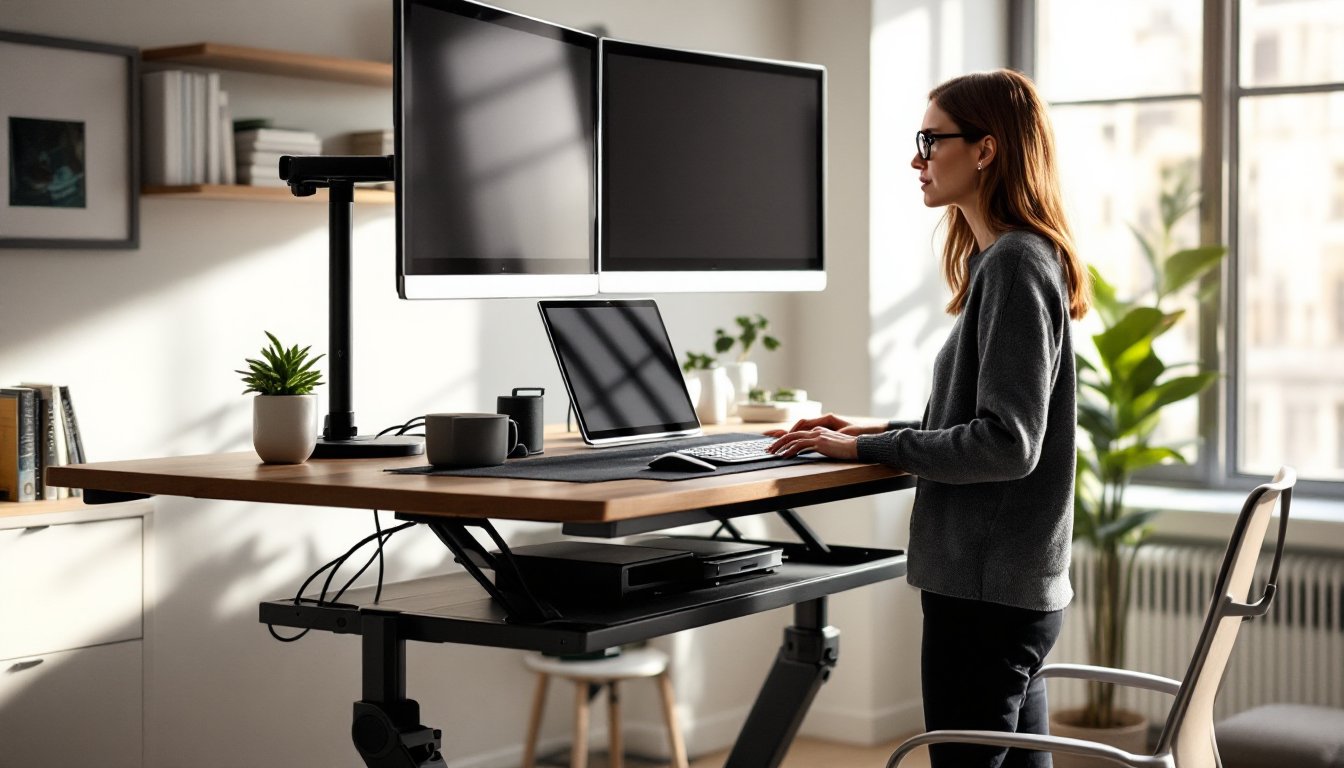
Monitor placement: Position screens at arm’s length (about 20–28″ from your eyes) and top of the display at or slightly below eye level. Use a monitor arm rather than the included stand, it frees up desk real estate and makes height transitions smoother. The Motia and Renew both support clamp-mount or grommet-mount arms without additional reinforcement.
Cable management: Use the included routing clips and trays, but supplement with velcro cable ties and a 16-outlet surge protector mounted under the desk. Keep power and data cables separated to reduce electromagnetic interference if you’re running audio gear. Route cables with enough slack to accommodate the full height range, nothing worse than a taut cable yanking a laptop off the desk mid-adjustment.
Lighting: Don’t rely solely on overhead lighting. Add a desk lamp with adjustable color temperature (3000K for morning focus, 2700K for evening work). Position it to the side opposite your dominant hand to avoid shadows on your work surface. Many find that warm, layered lighting featured in modern home design approaches improves focus without the harshness of overhead fluorescents.
Desk accessories: Keep it minimal. A cable-managed desk pad, headphone stand, and small organizer tray for daily tools (pens, USB drives, etc.) are enough. Avoid clutter that makes height adjustments a game of “catch the falling stuff.”
Personalization without sacrificing function: If you’re aiming for a workspace that balances aesthetics with performance, take cues from upscale home decor ideas that layer textures and finishes without overwhelming the functional purpose. A single plant, quality desk lamp, or a piece of functional art (like a well-crafted pen holder) adds personality without turning the desk into a knick-knack shelf.
Standing mat: If you’re actually using the standing feature (not just buying the desk for the height adjustment novelty), invest in an anti-fatigue mat with a beveled edge. Minimum 3/4″ thickness with a textured surface to encourage micro-movements. Place it under your desk when sitting so it’s already positioned when you transition to standing.
Conclusion
A Herman Miller standing desk isn’t an impulse buy, and it shouldn’t be. These are engineered pieces of furniture built for daily, long-term use in demanding environments. If your home office is a dedicated space where you’re logging serious hours, the precision, durability, and ergonomic performance justify the cost. If you’re outfitting a spare corner or aren’t sure you’ll use the standing feature regularly, there are more cost-effective options that’ll serve you just fine. The key is honest assessment: buy for how you actually work, not how you wish you worked.